
CONTACT
  • Login
Upgrade
SINwebzine
Advertisement
  • Home
    • Our Authors
    • Media Kit
    • Contact
    • Cookie Policy
    • Terms and Conditions
  • Artificial Intelligence
  • Software
  • WordPress
  • Web Infrastructure
  • Marketing
  • Business
  • Security
  • Home
    • Our Authors
    • Media Kit
    • Contact
    • Cookie Policy
    • Terms and Conditions
  • Artificial Intelligence
  • Software
  • WordPress
  • Web Infrastructure
  • Marketing
  • Business
  • Security
No Result
View All Result
SINwebzine
No Result
View All Result
Home Software

Legacy code checklist for safe retirement

06/09/2026
Developer reviewing legacy code before retiring it in production

Legacy code rarely disappears on its own. Teams postpone the removal because they fear a hidden dependency will break production the moment someone deletes a file. This checklist takes a different view: retirement works best as a series of small, reversible steps rather than one dramatic deletion. You do not need a full rewrite to lower risk. You need clear checks before, during, and after the removal, and a rollback plan you actually trust.

Why legacy code needs a real retirement plan

First, most legacy code failures show up weeks after removal, not during it. A rare code path finally runs, a scheduled job wakes up, or a partner system calls an endpoint nobody remembered existed. Each surprise turns into an emergency in production, and emergencies cost far more than a careful checklist would have.

However, teams often skip the planning stage because old code feels boring compared to new features. Nobody wants a meeting about a payment module written a decade ago. Yet skipping that meeting is exactly how small risk becomes a major incident. Retaining legacy systems entails multiple risks, including non-compliance, high maintenance costs, and security vulnerabilities. A short review now costs far less than an outage later.
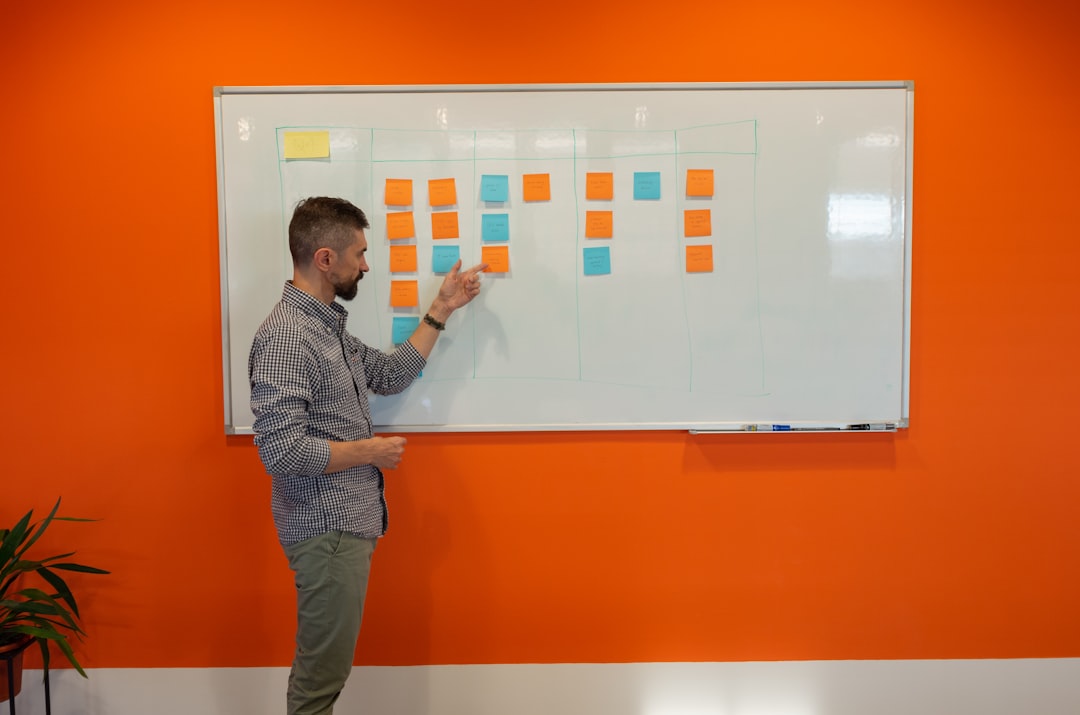
Engineering team building a legacy code checklist together

The pre-removal checklist for legacy code cleanup

Before deleting anything, check three things: who calls this code, who owns the data it touches, and how fast the team can roll back if something breaks. Logging real traffic for a full business cycle shows whether a supposedly dead endpoint still receives requests. Additionally, ask every downstream team directly rather than trusting an old architecture diagram that nobody has updated in years.

Next, write the rollback plan before writing the removal code. A rollback plan turns a risky deletion into a reversible experiment instead of a leap of faith. For example, keep the old path behind a flag for a set period instead of deleting it outright. This single habit prevents most of the production incidents linked to legacy cleanup work.

Then, add monitoring alerts, updated documentation, and a named owner to the checklist. Building a safety net is what makes legacy code refactoring possible. Without one, even a small change can create unexpected bugs or break critical workflows. Consequently, everyone on the team knows what happens if traffic reappears on a route thought retired.

Engineer monitoring production after removing legacy code

Read also

  • Developer reviewing a feature flags dashboard before a releaseFeature flags: rolling back without redeploy07/10/2026
  • Software developer planning a code freeze schedule with the teamCode freeze: running one without stalling development24/09/2026
  • Solo developer relying on version control while coding aloneVersion control matters for solo projects03/09/2026
  • Developer running automated tests on a laptop before a releaseThe hidden cost of skipping automated tests01/09/2026
  • IT administrator comparing password managers pricing on a laptopPassword managers for teams: real costs09/10/2026
  • Web administrator checking DNS propagation status on a laptopDNS propagation: what you can control07/10/2026

Rolling out the change without breaking production

Meanwhile, treat the actual cutover as a gradual event rather than a single switch. Route a small share of traffic to the new path first, then increase it slowly while watching error rates. The Strangler Fig pattern enables incremental legacy system modernization by gradually replacing old functionality with new services while keeping the system running. This staged approach lets old and new code run side by side until confidence builds.

Similarly, keep a feature flag ready so a rollback takes seconds rather than hours. Feature Toggles/Flags are often used to control which requests go to the new system versus the old, and this allows for quick rollbacks if something goes wrong. If error rates spike in production, flip the flag back and investigate calmly instead of rushing a patch under pressure.

Furthermore, tell every team that touches the affected system before the cutover, not after. A short message costs nothing, but a surprised colleague filing an incident ticket costs an afternoon. Therefore, treat communication as part of the checklist, not an afterthought once code is already gone.

After the cutover: monitoring legacy code removal

Finally, monitoring does not stop once legacy code disappears from the repository. Keep dashboards and alerts running for at least one full business cycle after removal, since some risk only shows up on a monthly billing run or a quarterly report. Otherwise, a rare process might fail silently for weeks before anyone notices.

Also, archive the removed code and its documentation somewhere searchable, even if nobody expects to need it. This step protects the team if a compliance question or an old bug report resurfaces later. In short, retiring legacy code well means treating the whole cycle, not just the deletion, as the real task.

Legacy code retirement done right

Legacy code retirement is not glamorous work, and no vendor sells a magic button for it. A simple checklist, honest monitoring, and a working rollback plan protect production better than any dashboard promising instant modernization. Start small: pick one component, run the checklist, and watch the numbers before celebrating. If your team keeps postponing legacy code cleanup because the last attempt broke something, that is a process problem, not a reason to stop trying. Fix the checklist, not the ambition.


Learn more about legacy code

  • Strangler Fig Application
  • Strangler fig pattern – Azure Architecture Center
  • Decommissioning Legacy Systems: Best Practices and Strategies
Previous Post

CDN guide for beginners: how to choose

Next Post

AI agents: why every vendor is rushing now

Related Posts

Developer reviewing a feature flags dashboard before a release
Software

Feature flags: rolling back without redeploy

07/10/2026
Software developer planning a code freeze schedule with the team
Software

Code freeze: running one without stalling development

24/09/2026
Solo developer relying on version control while coding alone
Software

Version control matters for solo projects

03/09/2026
Developer running automated tests on a laptop before a release
Software

The hidden cost of skipping automated tests

01/09/2026
Next Post
Developer testing AI agents on a laptop screen

AI agents: why every vendor is rushing now

Leave a Reply Cancel reply

Your email address will not be published. Required fields are marked *

No Result
View All Result

Our Focus

STACKwebzine covers the technology that independent builders and publishers actually use: AI and automation, software and SaaS, WordPress, web infrastructure, marketing, business and security. Practical coverage of the working stack.

Our Readers

STACKwebzine is written for people who run something of their own: site owners, solo operators, small agencies, founders and publishers. Readers who make their own technical decisions and carry the cost of getting them wrong.

Our Approach

Reviews come from use rather than press releases. We explain what a tool does, what it costs at scale, what it replaces and where it breaks, and we say plainly when something popular is not worth the money.

Recent Post

  • Password managers for teams: real costs
  • Feature flags: rolling back without redeploy

© 2026 STACKwebzine by NOOR & NOOR — part of WEBZINE.world.

Welcome Back!

Login to your account below

Forgotten Password?

Retrieve your password

Please enter your username or email address to reset your password.

Log In
Manage Consent
To provide the best experiences, we use technologies like cookies to store and/or access device information. Consenting to these technologies will allow us to process data such as browsing behavior or unique IDs on this site. Not consenting or withdrawing consent, may adversely affect certain features and functions.
Functional Always active
The technical storage or access is strictly necessary for the legitimate purpose of enabling the use of a specific service explicitly requested by the subscriber or user, or for the sole purpose of carrying out the transmission of a communication over an electronic communications network.
Preferences
The technical storage or access is necessary for the legitimate purpose of storing preferences that are not requested by the subscriber or user.
Statistics
The technical storage or access that is used exclusively for statistical purposes. The technical storage or access that is used exclusively for anonymous statistical purposes. Without a subpoena, voluntary compliance on the part of your Internet Service Provider, or additional records from a third party, information stored or retrieved for this purpose alone cannot usually be used to identify you.
Marketing
The technical storage or access is required to create user profiles to send advertising, or to track the user on a website or across several websites for similar marketing purposes.
  • Manage options
  • Manage services
  • Manage {vendor_count} vendors
  • Read more about these purposes
View preferences
  • {title}
  • {title}
  • {title}
No Result
View All Result
  • Home
    • Our Authors
    • Media Kit
    • Contact
    • Cookie Policy
    • Terms and Conditions
  • Artificial Intelligence
  • Software
  • WordPress
  • Web Infrastructure
  • Marketing
  • Business
  • Security

© 2026 STACKwebzine by NOOR & NOOR — part of WEBZINE.world.

Are you sure want to unlock this post?
Unlock left : 0
Are you sure want to cancel subscription?
Verified by MonsterInsights
enEnglishfrFrançais